CodeVibe keeps your coding agents moving. Approve changes, send prompts, and unblock stuck tasks — all from your phone, in seconds. Set up in under 2 minutes.
curl -fsSL https://quantiya.ai/codevibe/install.sh | bash
AI coding agents still need you: file edit approvals, permission grants, redirect prompts. Without your input, they stop. You come back 20 minutes later to find zero progress.
Built For How You Actually Work
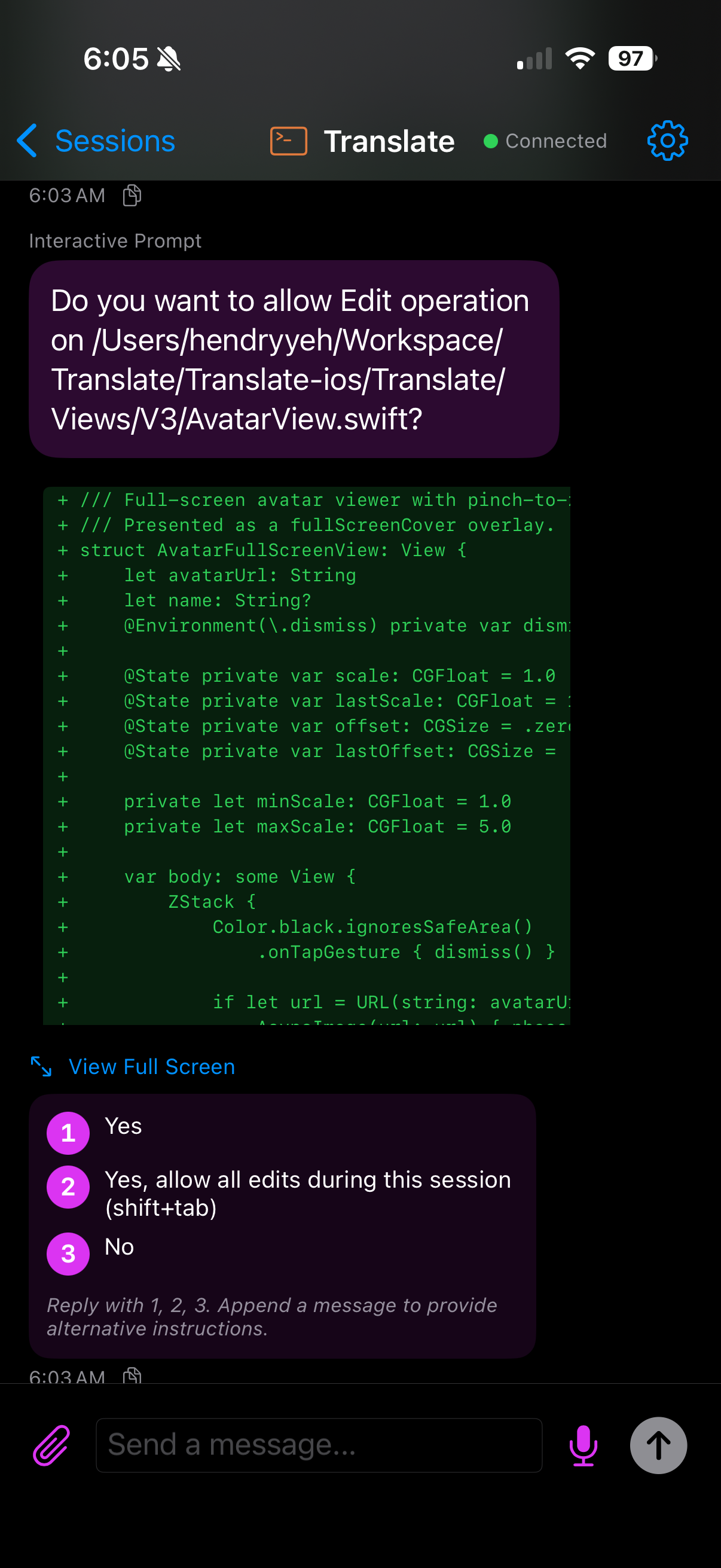
Your agent started a refactor before you left. Review the diff on your phone, reply "1" to approve, agent keeps going.
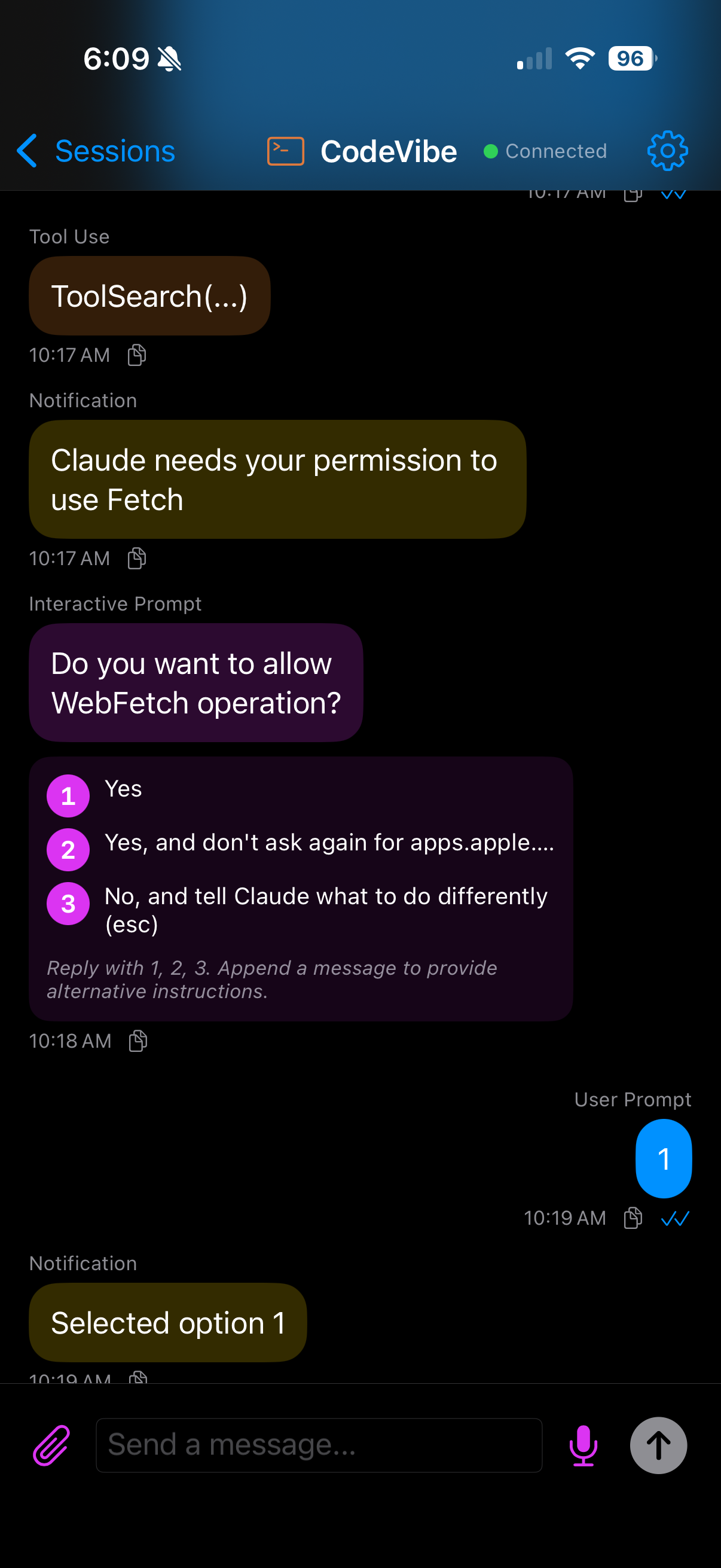
Push notification: your agent needs approval. Glance at the diff, send "1" to approve — done in 5 seconds, no one noticed.
Monitor a long-running task. Send follow-up prompts, redirect work, or reply "3" to reject and tell your agent what to do instead.
See It In Action
Get Started
The installer handles all prerequisites (Node.js, tmux, Claude Code) automatically. Works out of the box.
curl -fsSL https://quantiya.ai/codevibe/install.sh | bash
Installs Node.js, tmux, Claude Code, CodeVibe, and the Claude plugin — all in one command.
The installer opens your browser automatically. Sign in with Apple or Google.
Download on Google Play or App Store. Sign in with the same account.
codevibe-claude — your session appears on your phone automatically. All commands ↓
Multi-Agent Support
Anthropic's AI coding agent with tool use and file editing
Google's AI coding agent with multimodal capabilities
OpenAI's AI coding agent with code generation
What You Can Do
Full file diffs with syntax highlighting. See exactly what your agent wants to change, then approve or reject.
Full-screen diff viewer with unified or side-by-side view, line numbers, and font size controls.
Type or speak instructions with live transcription. Edit before sending or send immediately.
Send photos from your camera or library alongside your messages — only CodeVibe supports image attachments.
Push notifications alert you the moment your agent needs approval — no need to keep the app open.
AES-256-GCM end-to-end encryption. Zero-knowledge architecture — our servers can't read your code or prompts.
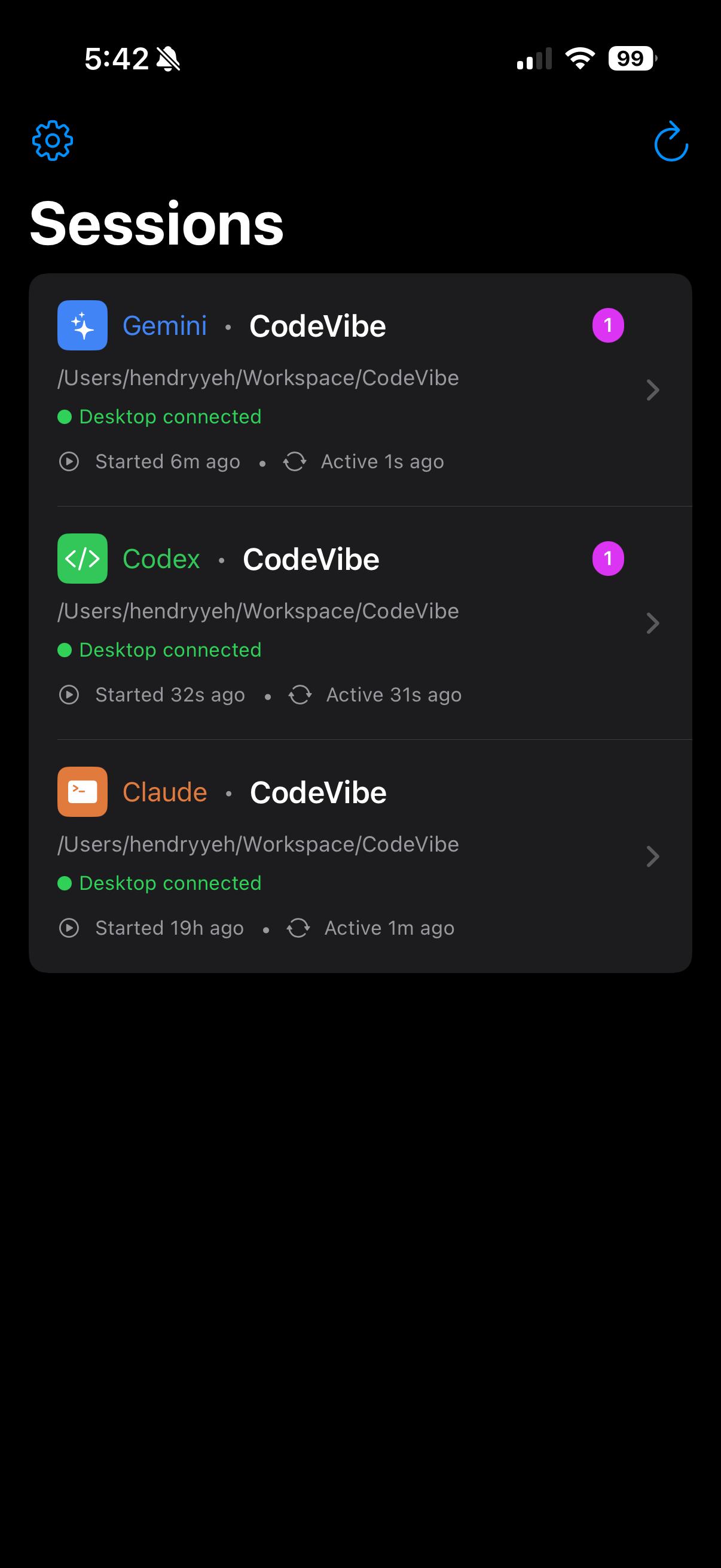
Connection status at a glance. End orphaned sessions with a swipe when your desktop plugin stops.
Messages sync bidirectionally in under 500ms. Watch your agent work as it happens.
No QR codes per session. OAuth sign-in once — all your sessions appear automatically across every device.
Why Not Just SSH or Remote Desktop?
| Feature | CodeVibe | Claude Remote | Codex App |
|---|---|---|---|
| Claude Code support | ✓ | ✓ | ✗ |
| Gemini CLI support | ✓ | ✗ | ✗ |
| Codex CLI support | ✓ | ✗ | ✓ |
| Native mobile app | ✓ | ✗ Browser | ✓ |
| File diff preview | ✓ | ✗ | ✗ |
| Voice input | ✓ | ✗ | ✗ |
| Push notifications | ✓ | ✗ | ✓ |
| E2E encryption | ✓ | ✗ | ✗ |
| Multiple concurrent sessions | ✓ Up to 5 | ✗ 1 only | ✓ |
| Mac, Windows (WSL), Linux | ✓ | ✓ | ✓ |
Pricing
FAQ
CodeVibe supports Claude Code (Anthropic), Gemini CLI (Google), and Codex CLI (OpenAI). Each agent has its own plugin that connects to the CodeVibe mobile app.
Yes. The desktop plugins are Node.js-based and work on Mac, Linux, and Windows via WSL (Windows Subsystem for Linux). The mobile app controls sessions from any platform.
Yes. All session content is end-to-end encrypted with AES-256-GCM. Your code, prompts, and images are encrypted on your device before transmission. Our servers relay encrypted data but cannot read it.
No. Sign in once with Apple or Google on both your desktop and phone. All sessions created by your account appear automatically — no per-session pairing needed.
Yes. Each agent session appears separately in the session list. The number of concurrent sessions depends on your subscription tier (1 Free, 3 Pro, 5 Max).
You receive a push notification on your phone. Open the app to see the full file diff with syntax highlighting, then reply with the option number to approve, reject, or provide alternative instructions.
Yes, as long as your computer is connected to the internet and the coding agent is running (e.g., in a tmux session). Your desktop does not need to be unlocked.
Run the one-line installer — it installs Node.js, tmux, Claude Code, CodeVibe, and the Claude plugin automatically:curl -fsSL https://quantiya.ai/codevibe/install.sh | bash
CodeVibe uses tmux to send mobile prompts to your coding agent's terminal. It's how your mobile input reaches the desktop agent. The installer sets it up automatically. If you need to install it manually: brew install tmux (Mac) or sudo apt install tmux (Linux).
The installer opens your browser automatically for Apple or Google sign-in. You only need to sign in once — the same account works across all three agents and your phone.
Use the CodeVibe wrapper command instead of launching your agent directly:
Claude Code: codevibe-claude (instead of claude)
Gemini CLI: codevibe-gemini (instead of gemini)
Codex CLI: codevibe-codex (instead of codex)
Your session will appear on your phone automatically.
Run codevibe update — it updates all packages (core, Claude, Gemini, and Codex plugins) and refreshes the Claude Code plugin in one command. Run codevibe version to check your installed versions.
Yes. The free tier includes 1 active session, 100 messages/month, and 5 images/month with full E2E encryption. Upgrade to Pro or Max for more sessions and higher limits.